
Smart thermostats can offer everything from advanced learning algorithms and room sensors to indoor air-quality monitoring and extensive smart-home automation. However, many homeowners don’t need every premium feature. For everyday use, the most important features are often temperature scheduling, remote control, energy-saving settings, HVAC compatibility, easy installation, app control, and reliable temperature management.
The best smart thermostats with essential features focus on the functions homeowners actually use instead of adding unnecessary complexity. For example, Google Nest thermostats support temperature schedules, remote control, and energy-saving Eco settings, while the ecobee Smart Thermostat Essential focuses on simple scheduling, app-based temperature control, energy insights, humidity adjustment, and eco+ energy-saving features.
Choosing an essential-feature smart thermostat can also make installation and daily operation easier. Instead of paying for advanced functions you may never use, you can select a model that provides the core smart thermostat experience at a more practical price.
1
Quick Comparison Of Best Smart Thermostat
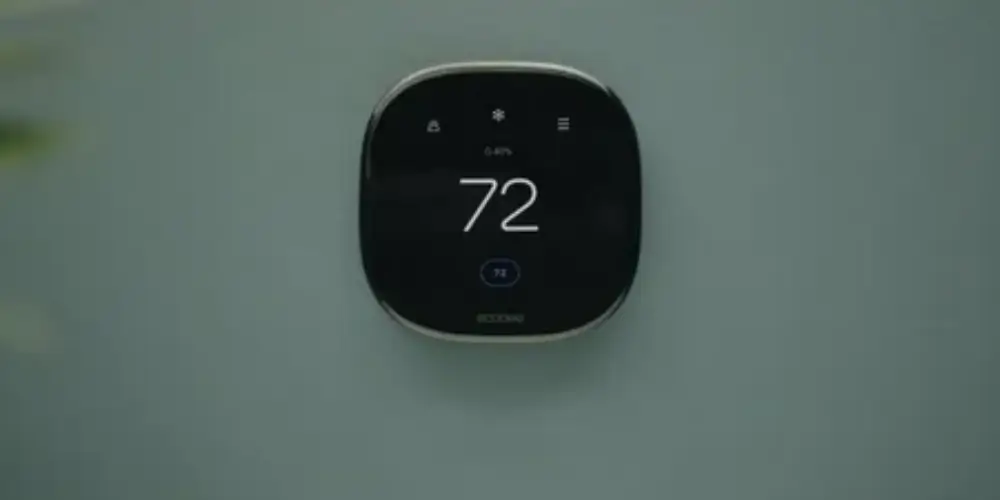

Ecobee Smart Thermostat Essential Best Overall for Essential Features

The ecobee Smart Thermostat Essential is one of the most suitable options for homeowners who want the core functions of a smart thermostat without necessarily needing every premium feature.
ecobee highlights simple scheduling, app control, energy reports, humidity adjustment, and eco+ energy-saving features as part of the Essential model.
Why It’s Useful
The thermostat focuses on practical features that most homeowners use regularly.
You can:
- Set a schedule
- Change temperature remotely
- Monitor energy use
- Adjust comfort settings
- Manage the thermostat through the app
ecobee also states that the Essential’s scheduling and comfort settings are designed to reduce unnecessary heating and cooling.
Best for: Homeowners who want essential smart thermostat features without unnecessary complexity.
Key Features & Technology
★
Smart temperature control
Lets you adjust and maintain your home’s temperature easily.
★
Wi-Fi connectivity
Connects the thermostat to your home Wi-Fi network.
★
Mobile app
Lets you control thermostat settings from your smartphone.
★
Energy-saving features
Helps reduce unnecessary heating and cooling to save energy.
Google Nest Thermostat Best for Easy Everyday Operation
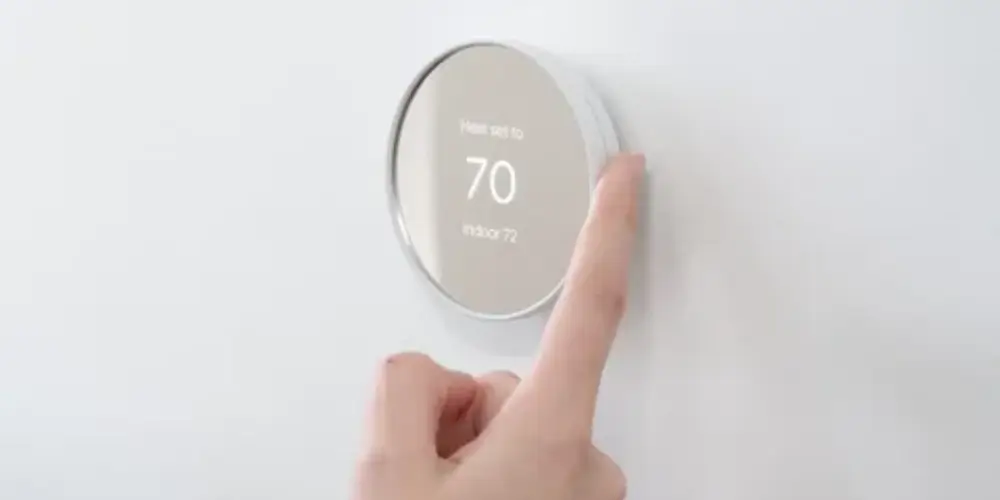
The Google Nest Thermostat is a good choice for homeowners who want a relatively simple smart thermostat with the essential connected features.
Google supports temperature schedules through the Google Home app and thermostat, while the thermostat can also use energy-saving Eco settings.
Why It’s Useful
Not everyone needs a thermostat that learns complicated routines.
For users who mainly want:
- Remote control
- Scheduling
- Energy-saving settings
- Easy temperature adjustment
the Nest Thermostat can provide the essential functionality without requiring extensive setup.
Best for: First-time smart thermostat buyers and users who prefer simplicity.
Key Features & Technology
★
Temperature scheduling
Lets you set different temperatures for different times of the day.
★
Remote control
Allows you to adjust the temperature from your phone.
★
Energy-saving features
Helps reduce energy use by managing heating and cooling efficiently.
★
Google Home integration
Lets you control the thermostat through the Google Home app.
Google Nest Learning Thermostat (4th Gen) Best for Essential Features Plus Automation
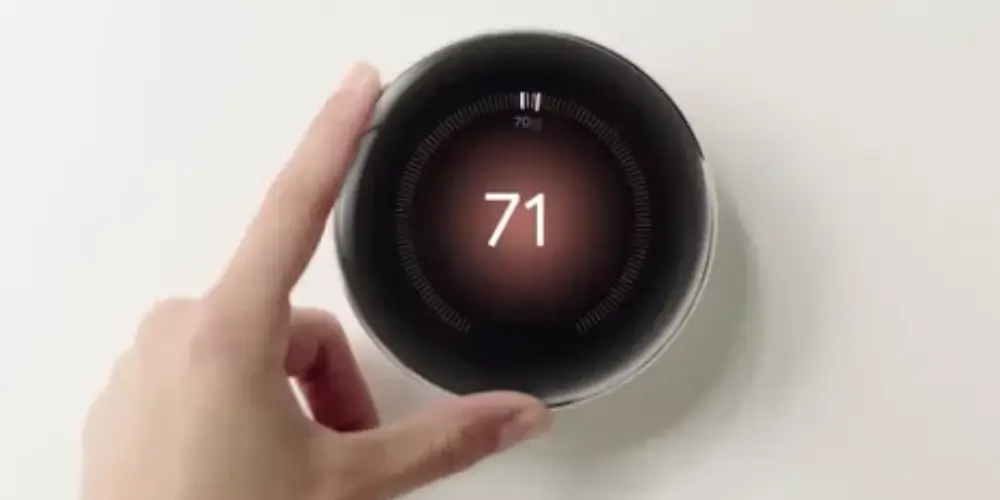
The Google Nest Learning Thermostat (4th gen) is more advanced than an essential-only thermostat, but its core features can still be useful for homeowners who want automation without manually managing everything.
Google’s Smart Schedule feature can learn from temperature adjustments and optimize the schedule.
Why It’s Useful
The biggest advantage is automation.
Instead of repeatedly changing the schedule, the thermostat can learn from your adjustments.
It can also use Eco temperatures when the home is unoccupied, helping reduce unnecessary heating or cooling.
Best for: Users who want essential thermostat functions plus automatic scheduling.
Key Features & Technology
★
Automatic learning
Learns your temperature preferences and routines over time.
★
Smart scheduling
Creates and manages temperature schedules for your home.
★
Adaptive temperature control
Adjusts temperature settings based on your preferences and conditions.
★
Energy monitoring
Provides information about your heating and cooling energy use.
ecobee Smart Thermostat Enhanced Best for Balanced Essential Features
The ecobee Smart Thermostat Enhanced is suitable for users who want more than the basics but don’t necessarily need the full feature set of a premium thermostat.
Why It’s Useful
It provides a useful middle ground between a basic smart thermostat and a premium model.
You can use the thermostat for everyday functions such as:
- Scheduling
- Remote control
- Temperature adjustments
- Energy management
and add compatible sensors if your needs become more advanced.
Best for: Homeowners who want essential features with room for future expansion.
Key Features & Technology
★
Smart scheduling
Lets you create temperature schedules based on your daily routine.
★
Remote control
Allows you to adjust settings from your smartphone.
★
Energy monitoring
Helps you track heating and cooling energy use.
★
Voice control
Lets you adjust thermostat settings using compatible voice assistants.
Honeywell Home X7B Best for Smart-Home Essential Features
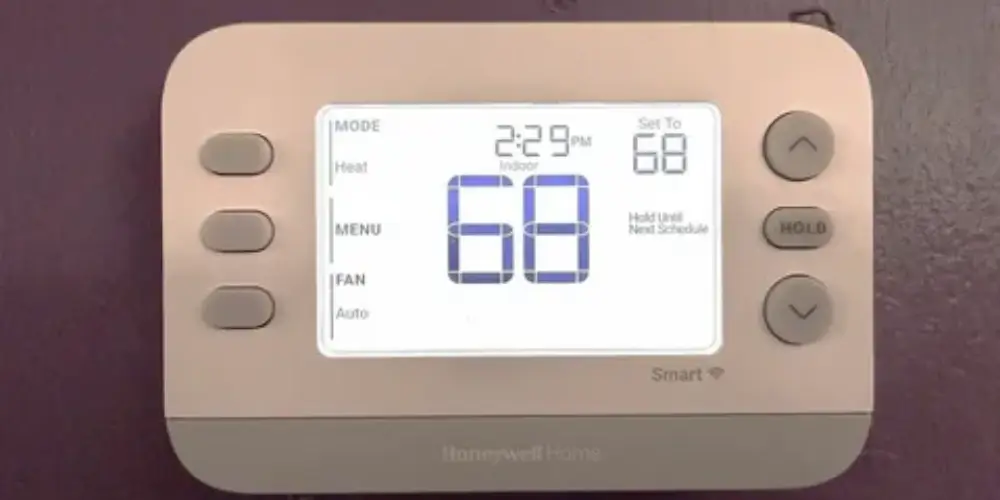
The Honeywell Home X7B is a good option for homeowners who want a modern smart thermostat with practical connected features.
Honeywell Home’s current smart thermostat lineup emphasizes smartphone control, smart scheduling, customizable displays, and smart-home compatibility.
Why It’s Useful
It focuses on the features that make a thermostat convenient without requiring users to build a highly advanced automation system.
Best for: Homeowners who want essential smart features with a modern thermostat interface.
Key Features & Technology
★
Wi-Fi connectivity
Connects the thermostat to your home network for smart control.
★
Temperature control
Lets you easily adjust your home’s heating and cooling temperature.
★
Programmable scheduling
Lets you set temperature changes for different times of the day.
★
Mobile app
Allows you to manage thermostat settings from your smartphone.
Honeywell Home X7S Best for Essential Features With Room Sensors
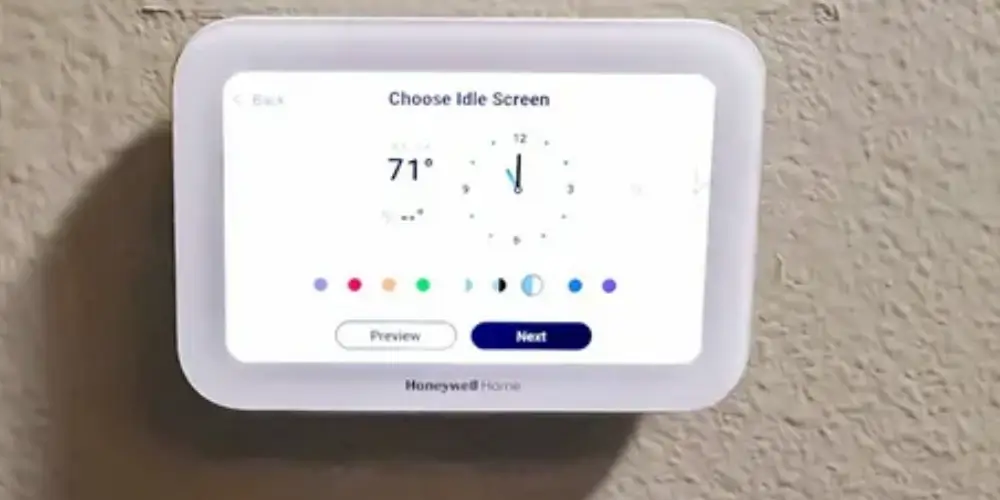
The Honeywell Home X7S is a useful choice for homeowners who want the essential functions of a smart thermostat but also want the option to monitor temperature in additional rooms.
Why It’s Useful
A thermostat located in a hallway may not accurately represent the temperature in a bedroom or upstairs room.
Adding compatible room sensors can help address this problem.
Best for: Homes where different rooms have noticeably different temperatures.
Key Features & Technology
★
Wi-Fi connectivity
Provides a connection for convenient smart thermostat control.
★
Remote control
Lets you adjust temperature settings from your phone.
★
Scheduling
Allows you to set temperature changes according to your routine.
★
Mobile app
Provides convenient access to thermostat controls through your phone.
Honeywell Home X8S Best for Premium Essential Features
The Honeywell Home X8S is designed for users who want essential smart thermostat functionality with a larger, more advanced display.
Why It’s Useful
Some homeowners care about the thermostat’s physical interface just as much as its smart features.
A larger display can make it easier to:
- Read the temperature
- Change settings
- Check system information
- Adjust comfort settings
Best for: Users who want essential smart features in a premium-looking thermostat.
Key Features & Technology
★
Smart scheduling
Lets you create automated temperature schedules for your home.
★
Wi-Fi connectivity
Connects the thermostat to your home network.
★
Remote control
Allows you to change temperature settings from your phone.
★
Energy management
Helps manage heating and cooling for more efficient energy use.
ENERGY STAR Smart Thermostat Best for Essential Energy-Saving Features
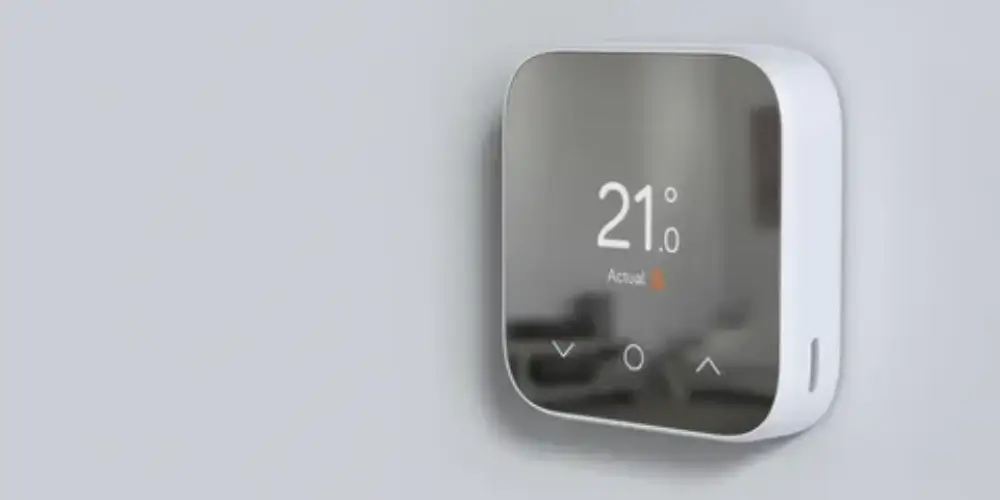
An ENERGY STAR smart thermostat can be a good choice for homeowners whose main priority is efficient heating and cooling.
Rather than focusing on premium extras, look for models with practical energy features such as:
- Smart schedules
- Eco settings
- Occupancy detection
- Energy reports
- Automatic adjustments
Google’s Nest thermostats, for example, can use Eco temperatures when no one is home.
Best for: Homeowners who want essential smart features with an emphasis on energy management.
Key Features & Technology
★
Energy efficiency
Helps reduce unnecessary heating and cooling energy use.
★
Programmable scheduling
Lets you set temperatures according to your daily routine.
★
Remote control
Allows you to adjust thermostat settings remotely.
★
Temperature monitoring
Helps track and manage indoor temperature levels.
Sensor-Compatible Smart Thermostat Best for Multi-Room Temperature Control

A sensor-compatible thermostat is useful when the main thermostat cannot accurately represent the temperature throughout the house.
Additional sensors can be placed in:
- Bedrooms
- Living rooms
- Offices
- Upstairs areas
- Frequently occupied rooms
Google Nest supports temperature sensors with compatible thermostats, while ecobee provides SmartSensor options for compatible models.
Why It’s Useful
You don’t necessarily need advanced HVAC automation to benefit from sensors.
The main advantage is better temperature information from the rooms that matter most.
Best for: Multi-room homes and households with uneven temperatures.
Key Features & Technology
★
Room sensors
Uses additional sensors to monitor temperatures in different rooms.
★
Multi-room monitoring
Lets you monitor temperature conditions across multiple rooms.
★
Temperature balancing
Helps maintain more consistent temperatures throughout your home.
★
Smart scheduling
Lets you create temperature schedules for convenient automatic control.
Basic Wi-Fi Smart Thermostat Best for First-Time Smart Thermostat Buyers
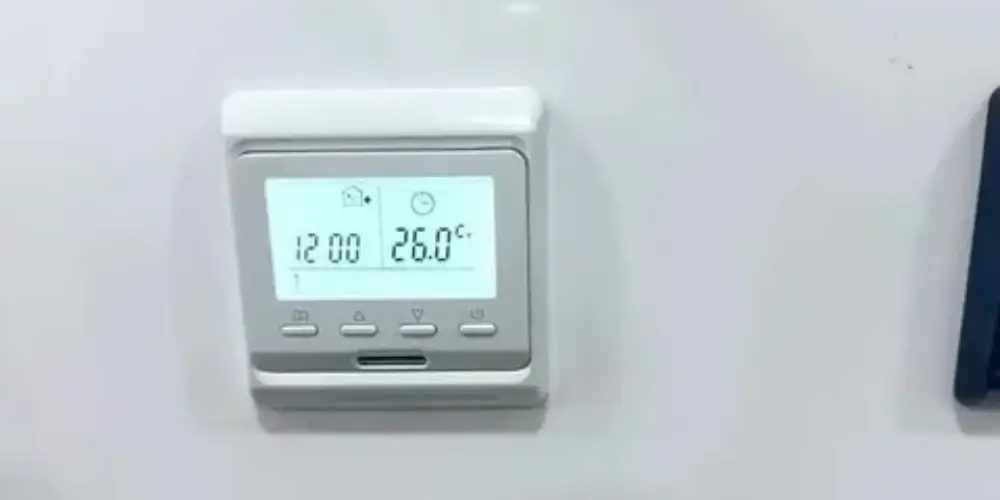
A basic Wi-Fi thermostat can be enough for homeowners who mainly want to upgrade from a traditional programmable thermostat.
Why It’s Useful
You don’t need a large ecosystem to benefit from smart thermostat technology.
If your main goal is simply:
“I want to control my thermostat from my phone.”
a basic Wi-Fi smart thermostat may be enough.
Best for: First-time buyers who want a simple upgrade.
Key Features & Technology
★
Wi-Fi connectivity
Connects the thermostat to your home network for smart control.
★
Remote control
Lets you adjust temperature settings from your smartphone.
★
Programmable scheduling
Allows you to set automatic temperature changes throughout the day.
★
Mobile app
Provides smartphone access to basic thermostat controls.
Best Smart Thermostats by Essential Feature
| Essential Feature | Best Choice |
| Best Overall Essential Features | ecobee Smart Thermostat Essential |
| Simple Operation | Google Nest Thermostat |
| Automatic Scheduling | Google Nest Learning Thermostat (4th Gen) |
| Smart Scheduling | ecobee Smart Thermostat Enhanced |
| Remote Control | ecobee Smart Thermostat Essential |
| Energy Management | ENERGY STAR smart thermostat |
| Room Sensors | Sensor-compatible thermostat |
| Smart-Home Control | Honeywell Home X7B |
| Large Display | Honeywell Home X8S |
| Multi-Room Comfort | Honeywell Home X7S |
| First-Time Buyers | Google Nest Thermostat |
| Future Expansion | ecobee Smart Thermostat Enhanced |
Buying Guides
1. Decide Which Features Are Essential
Before purchasing, make a list of the features you actually need.
For most homeowners, essential features include:
- Temperature control
- Scheduling
- Wi-Fi
- Smartphone control
- Heating and cooling modes
- Energy-saving settings
- HVAC compatibility
Anything beyond these should be considered an additional feature rather than a requirement.
2. Check Smartphone Control
One of the main reasons to buy a smart thermostat is remote control.
A good basic model should allow you to:
- Change temperature
- View current temperature
- Change system mode
- Adjust schedules
- Monitor settings
The ecobee Essential, for example, allows temperature control through its smartphone, tablet, and Apple Watch apps.
3. Look for Scheduling
Scheduling is one of the most useful smart thermostat features.
You can create different temperatures for:
- Morning
- Daytime
- Evening
- Night
Google Nest thermostats allow schedules to be created or adjusted through the Google Home app or directly on the thermostat.
4. Consider Automatic Scheduling
Automatic scheduling is different from a traditional fixed schedule.
The Nest Learning Thermostat can learn from temperature changes and create a schedule based on your preferences.
Choose this feature if you want less manual programming.
If you prefer complete control, a thermostat with a standard schedule may be better.
5. Check Energy-Saving Features
Even an essential-feature thermostat should provide some form of energy management.
Look for:
- Eco mode
- Away mode
- Smart scheduling
- Occupancy detection
- Energy reports
- Temperature setbacks
Nest thermostats can automatically switch to Eco temperatures when they detect that nobody is home.
6. Check HVAC Compatibility
This is more important than the number of smart features.
Before purchasing, identify whether your system is:
Conventional HVAC
Usually includes separate heating and cooling equipment.
Heat Pump
May require additional reversing-valve and auxiliary-heating connections.
Multi-Stage System
May require additional heating or cooling terminals.
Other HVAC Equipment
Some systems include humidifiers, dehumidifiers, or ventilation equipment.
Always check the thermostat manufacturer’s compatibility information before installation.
7. Check C-Wire Requirements
Some smart thermostats require continuous power.
Before buying, determine whether your HVAC system has:
- A C-wire
- An unused thermostat conductor
- A compatible power extender
- A manufacturer-approved adapter
Don’t assume that a thermostat will work simply because the existing thermostat has the same number of wires.
8. Decide Whether You Need Room Sensors
Room sensors aren’t essential for every homeowner.
They’re more useful if:
- Your upstairs is warmer
- Your bedroom is colder
- Your thermostat is in a hallway
- Different rooms have different comfort requirements
- You want temperature readings from occupied rooms
If none of these apply, you may not need to pay extra for sensor functionality.
9. Check the App
A smart thermostat is only as convenient as its app.
Look for an app that makes it easy to:
- Change temperature
- Create schedules
- View energy use
- Change modes
- Manage sensors
- Receive notifications
10. Consider Smart-Home Compatibility
If you already use a smart-home platform, check compatibility before buying.
Common platforms include:
- Google Home
- Amazon Alexa
- Apple Home
- Matter
You don’t necessarily need all of them. Choose the platform that fits the devices you already own.
11. Choose a Simple Display if Preferred
A thermostat doesn’t need a complicated interface.
For many users, the most useful display information is simply:
Current temperature + target temperature + heating/cooling status.
If you prefer a more informative display, some premium thermostats provide additional information such as humidity, weather, time, or energy information.
12. Consider Future Expansion
Even if you only need essential features today, your needs may change.
A thermostat that supports:
- Room sensors
- Smart-home integration
- Energy programs
- Additional HVAC accessories
can give you more flexibility later.