
Best smart thermostats with advanced automation have evolved beyond simple Wi-Fi temperature control. Advanced models can now learn temperature preferences, detect occupancy, adjust schedules automatically, respond to weather conditions, use remote room sensors, optimize energy use, and integrate with broader smart-home routines.
The best smart thermostats with advanced automation are designed for homeowners who want the thermostat to make more decisions automatically rather than requiring constant manual adjustments.
For example, the Google Nest Learning Thermostat (4th gen) uses Smart Schedule to learn from temperature changes and can automatically optimize scheduled temperatures and timing. It can also use phone location and motion sensing to add energy-saving Eco Temperatures.
The same thermostat also offers Adaptive Comfort, which can adjust comfort temperature based on indoor humidity, forecasted weather, and characteristics modeled about the home.
The ecobee Smart Thermostat Premium is another strong choice for advanced automation, particularly for homeowners who want room sensors, occupancy detection, Essential Features, energy management, and broader smart-home functionality. Current 2026 comparisons continue to place the Nest Learning Thermostat 4th gen and ecobee Premium among the leading advanced smart thermostat options.
1
Quick Comparison Of best smart thermostats
Google Nest Learning Thermostat (4th Gen) Best Overall for Advanced Automation

The Google Nest Learning Thermostat (4th gen) is one of the strongest choices for homeowners who want a thermostat that can automatically adapt to their habits and environmental conditions.
Its Smart Schedule learns from temperature adjustments made throughout the day and can automatically optimize the schedule. Users can choose whether changes are automatically applied or presented as suggestions.
Advanced Automation
Smart Schedule can learn from:
- Temperature adjustments
- Changes in daily routines
- Phone location signals
- Thermostat motion sensing
- Sleep temperature preferences
It can then modify the schedule to better match the household’s behavior.
Adaptive Comfort
Adaptive Comfort can adjust comfort settings based on:
- Indoor humidity
- Weather forecasts
- Characteristics of the home
This allows the thermostat to respond to changing environmental conditions instead of simply following a fixed temperature.
Why It’s Useful
The biggest advantage is that the thermostat can make temperature decisions automatically rather than requiring homeowners to continually update schedules.
Best for: Homeowners who want the highest level of automatic temperature optimization.
Key Features & Technology
★
Automatic learning
Lets the thermostat learn your preferred temperatures automatically.
★
Smart scheduling
Lets you create temperature schedules based on your routine.
★
Room sensors
Helps monitor temperatures in different rooms.
★
Remote control
Lets you adjust the temperature from anywhere.
ecobee Smart Thermostat Premium Best for Advanced Comfort Automation

The ecobee Smart Thermostat Premium is particularly useful for homeowners who want automation based on room temperature and occupancy.
ecobee’s SmartSensor system can provide temperature and occupancy information from rooms away from the thermostat.
Advanced Automation
Instead of relying only on the temperature measured at the thermostat, compatible sensors can provide information from important rooms.
This is useful when:
- Bedrooms are warmer than the hallway
- Upstairs rooms need more heating or cooling
- A home office is occupied during the day
- Family members use different rooms at different times
Why It’s Useful
The automation becomes more room-aware rather than simply thermostat-location-aware.
Best for: Large homes, families, and homeowners who prioritize room-by-room comfort.
Key Features & Technology
★
Occupancy sensing
Detects when people are present in your home.
★
Room sensors
Helps monitor temperatures in different rooms.
★
Air-quality monitoring
Helps monitor indoor air quality.
★
Smart scheduling
Lets you create schedules based on your daily routine.
Honeywell Home X8S Best for Advanced Multi-Room Automation
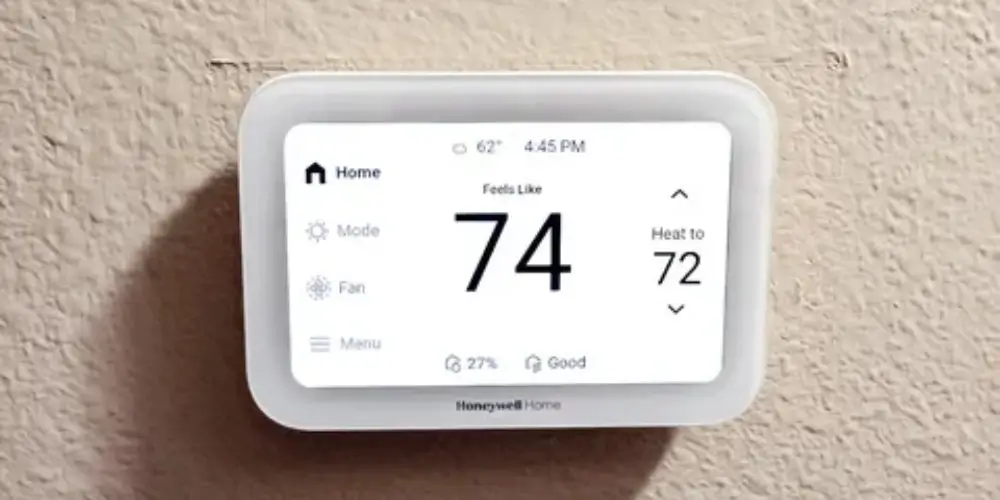
The Honeywell Home X8S is a strong option for homeowners who want advanced smart control combined with sensing and a premium interface.
Current 2026 testing from Tom’s Guide highlights the X8S for smart-home compatibility, smart display capabilities, and multi-room temperature control.
Advanced Automation
The X8S is particularly useful when homeowners want the thermostat to account for more than one location in the house.
Why It’s Useful
It can help automate comfort management in homes where:
- Temperature varies by room
- Occupancy changes throughout the day
- Different rooms have different priorities
Best for: Homeowners who want advanced automation and multi-room comfort.
Key Features & Technology
★
Smart temperature control
Detects when rooms or spaces are occupied.
★
Occupancy sensing
Detects when rooms or spaces are occupied.
★
Remote access
Lets you control the thermostat remotely.
★
Energy management
Helps you manage energy use efficiently.
ecobee Smart Thermostat Enhanced Best for Balanced Advanced Automation

The ecobee Smart Thermostat Enhanced is a good middle-ground option for homeowners who want advanced automation but don’t need every premium feature.
Advanced Automation
The thermostat can be expanded with compatible sensors to provide additional temperature information around the home.
This makes it useful for:
- Two-story houses
- Bedrooms
- Home offices
- Frequently occupied rooms
Why It’s Useful
It offers a balance between:
automation + comfort + expansion
without requiring the homeowner to choose the most expensive model.
Best for: Users who want advanced automation with a balanced feature set.
Key Features & Technology
★
Smart scheduling
Lets you create temperature schedules based on your routine.
★
Occupancy detection
Detects when people are present in your home.
★
Room sensors
Helps monitor temperatures in different rooms.
★
Remote control
Lets you adjust the temperature from anywhere.
Honeywell Home X7S Best for Room-Based Automation
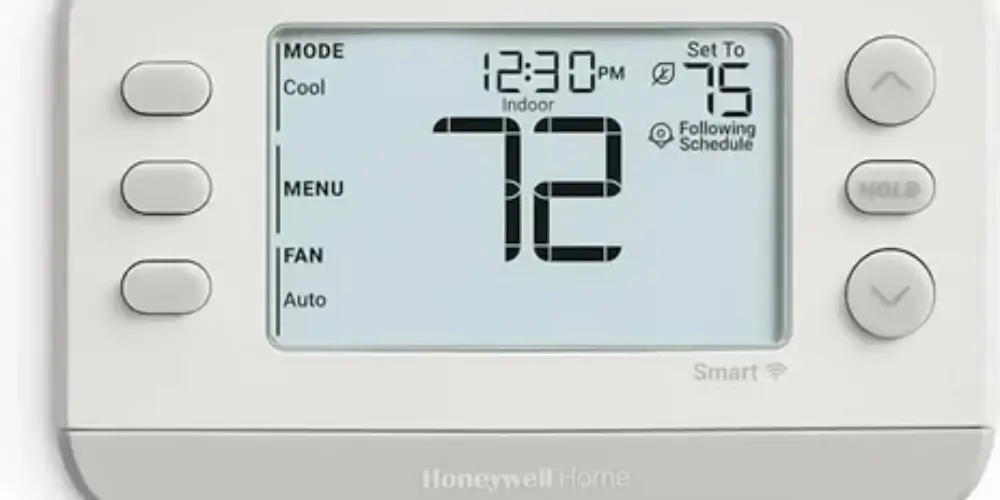
The Honeywell Home X7S is a useful choice when room temperature differences are the main automation challenge.
Advanced Automation
Room sensors can help the thermostat understand conditions outside its immediate location.
For example:
Daytime → Home office prioritized
Nighttime → Bedroom prioritized
This type of setup can make temperature management more responsive to household routines.
Best for: Users who want room-focused comfort automation.
Key Features & Technology
★
Smart temperature control
Lets you easily adjust and maintain your home’s temperature.
★
Programmable scheduling
Lets you set temperature schedules for different times.
★
Remote access
Lets you control the thermostat from anywhere.
★
Smart-home connectivity
Lets the thermostat connect with compatible smart-home devices.
Honeywell Home X7B Best for Smart-Home Automation
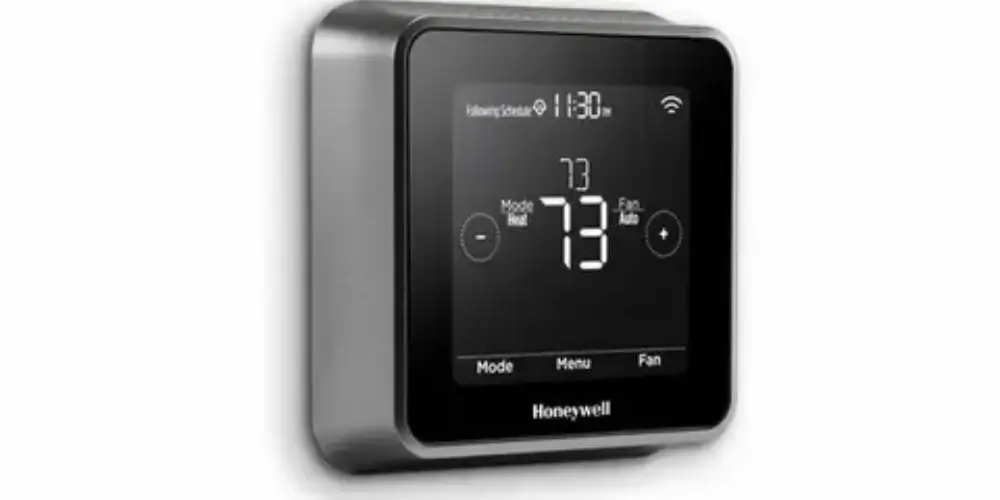
The Honeywell Home X7B is suitable for homeowners who want their thermostat to participate in a larger smart-home environment.
Advanced Automation
A smart thermostat becomes more useful when combined with other connected devices.
For example, a smart-home system can potentially coordinate:
- Thermostat settings
- Presence
- Daily schedules
- Other home automation routines
Best for: Homeowners building a connected smart home.
Key Features & Technology
★
Smart temperature control
Lets you easily adjust and maintain your home’s temperature.
★
Flexible scheduling
Lets you create temperature schedules that fit your routine.
★
Remote access
Lets you adjust settings remotely.
★
Smart-home integration
Lets the thermostat work with compatible smart-home systems.
Sensor-Compatible Smart Thermostat Best for Multi-Room Automation
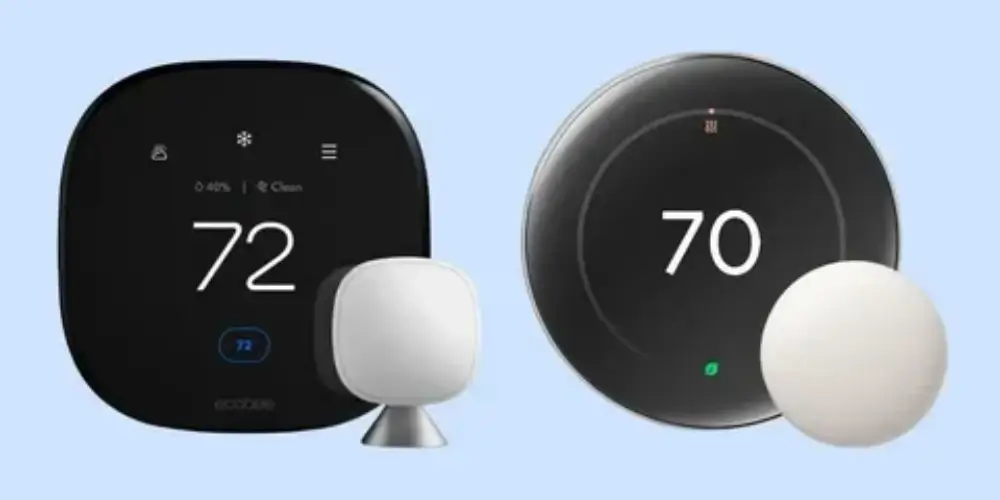
A sensor-compatible smart thermostat is one of the most useful choices for advanced automation.
Remote sensors can monitor temperature in:
- Bedrooms
- Living rooms
- Offices
- Upstairs rooms
- Children’s rooms
- Frequently occupied spaces
Google’s Nest ecosystem supports temperature sensors with compatible thermostats, while ecobee offers SmartSensor options for compatible models.
Why Sensors Matter
The thermostat’s built-in sensor only measures the area where the thermostat is installed.
A remote sensor allows the system to consider temperature somewhere else.
Best for: Homes with uneven temperatures or multiple comfort zones.
Key Features & Technology
★
Room sensors
Helps monitor temperatures in different rooms.
★
Multi-room monitoring
Lets you keep track of temperatures across multiple rooms.
★
Hot-spot detection
Helps identify rooms that are warmer than others.
★
Temperature customization
Lets you set comfortable temperatures for different areas.
ENERGY STAR Smart Thermostat Best for Automated Energy Management
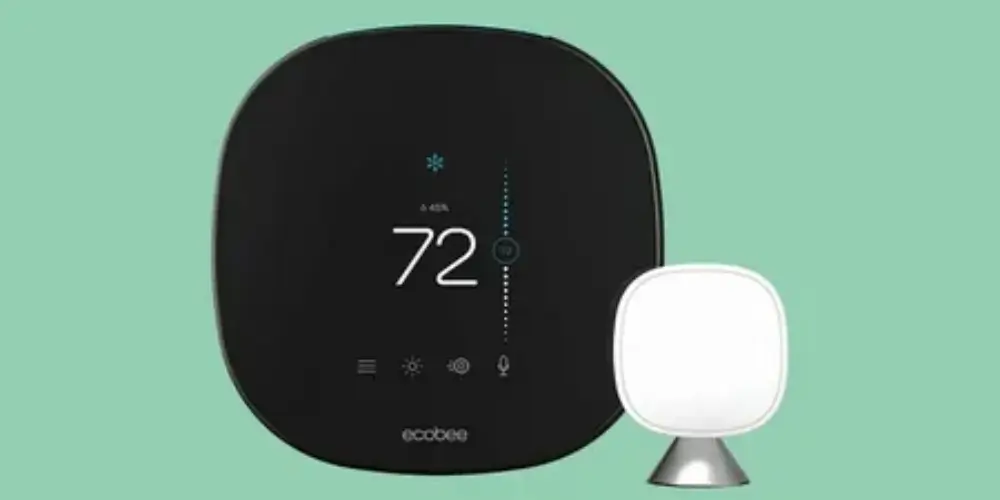
An ENERGY STAR smart thermostat can be useful for homeowners who want automation focused on reducing unnecessary heating and cooling.
Automation Features to Look For
- Occupancy detection
- Away mode
- Smart scheduling
- Eco settings
- Energy reports
- Automatic temperature adjustments
- Utility-program integration
Google Nest thermostats, for example, can automatically switch to Eco Temperatures when they detect that nobody is home.
Best for: Energy-conscious homeowners who want automation to reduce unnecessary HVAC operation.
Key Features & Technology
★
Energy-saving schedules
Lets you create schedules that help reduce energy use.
★
Temperature automation
Automatically adjusts temperature settings for better efficiency.
★
Energy monitoring
Helps you track your home’s energy use.
★
Remote control
Lets you adjust temperature settings from anywhere.
Weather-Aware Smart Thermostat Best for Changing Outdoor Conditions

A weather-aware thermostat can go beyond a fixed schedule by considering outdoor conditions.
The Nest Learning Thermostat (4th gen), for example, includes Adaptive Comfort, which considers indoor humidity and forecasted weather when adjusting comfort temperature.
Useful Automation
The system may account for:
- Outdoor temperature
- Humidity
- Weather forecast
- Indoor conditions
- Existing comfort settings
Why It’s Useful
A fixed schedule doesn’t know whether an unusually hot or humid day is coming.
Weather-aware automation can make the system more responsive.
Best for: Homeowners living in areas with significant weather changes.
Key Features & Technology
★
Weather data
Uses outdoor weather information to manage temperature settings.
★
Automatic adjustments
Automatically adjusts temperature based on changing conditions.
★
Weather-based scheduling
Lets you create schedules that respond to weather changes.
★
Energy optimization
Helps reduce energy use through efficient temperature control.
Basic Wi-Fi Smart Thermostat Best for First-Time Smart Thermostat Buyers
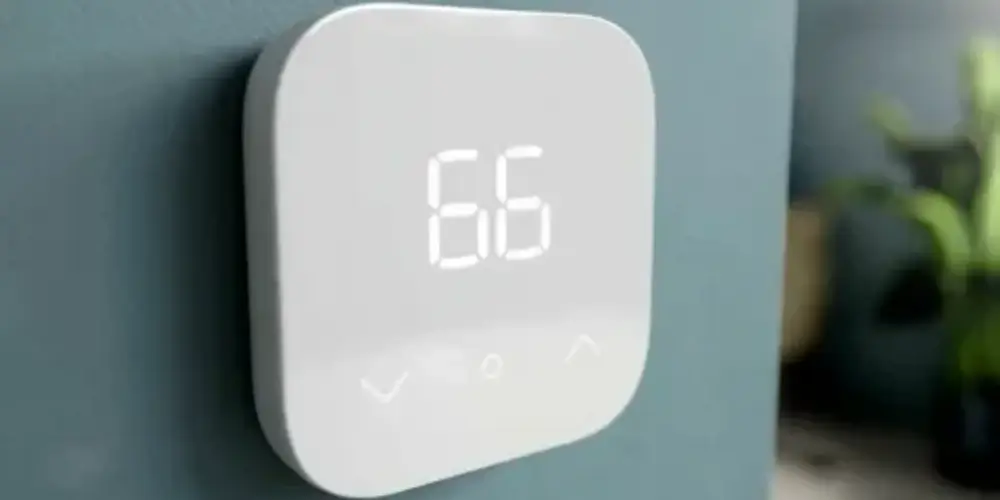
A basic Wi-Fi thermostat can be enough for homeowners who mainly want to upgrade from a traditional programmable thermostat.
Why It’s Useful
You don’t need a large ecosystem to benefit from smart thermostat technology.
If your main goal is simply:
“I want to control my thermostat from my phone.”
a basic Wi-Fi smart thermostat may be enough.
Best for: First-time buyers who want a simple upgrade.
Key Features & Technology
★
Occupancy detection
Detects when people are present in your home.
★
Automatic adjustment
Automatically changes temperature settings when needed.
★
Motion sensing
Uses movement detection to identify activity in the home.
★
Energy-saving settings
Helps reduce energy use when rooms are not occupied.
Best Smart Thermostats by Essential Feature
| Essential Feature | Best Choice |
| Best Overall Essential Features | ecobee Smart Thermostat Essential |
| Simple Operation | Google Nest Thermostat |
| Automatic Scheduling | Google Nest Learning Thermostat (4th Gen) |
| Smart Scheduling | ecobee Smart Thermostat Enhanced |
| Remote Control | ecobee Smart Thermostat Essential |
| Energy Management | ENERGY STAR smart thermostat |
| Room Sensors | Sensor-compatible thermostat |
| Smart-Home Control | Honeywell Home X7B |
| Large Display | Honeywell Home X8S |
| Multi-Room Comfort | Honeywell Home X7S |
| First-Time Buyers | Google Nest Thermostat |
| Future Expansion | ecobee Smart Thermostat Enhanced |
Buying Guides
Look for Learning Schedules
Learning schedules are one of the biggest differences between ordinary smart thermostats and advanced models.
A learning thermostat can observe temperature changes and use that information to improve future schedules.
Google’s 4th-generation Nest Learning Thermostat can automatically optimize its Smart Schedule based on adjustments made throughout the day.
Best for: Users who don’t want to manually program every temperature change.
Check Occupancy Detection
Occupancy detection allows the thermostat to react to whether people are home.
Look for:
- Motion sensing
- Presence sensing
- Phone location
- Occupancy sensors
- Away detection
Nest can use presence sensing to switch to Eco Temperatures when nobody is home.
Consider Room Sensors
Room sensors are especially important for advanced automation.
They allow the thermostat to consider temperatures in multiple areas rather than relying exclusively on its built-in sensor.
Consider sensors if:
- Bedrooms have different temperatures.
- You work from home.
- Your thermostat is in a hallway.
- Some rooms are rarely used.
- Your home has multiple floors.
Look for Weather-Aware Automation
Weather-aware thermostats can make more intelligent adjustments based on outdoor conditions.
This can be particularly useful in areas where:
- Temperatures change quickly.
- Humidity varies significantly.
- Summers are very hot.
- Winters are very cold.
Nest’s Adaptive Comfort uses indoor humidity and forecast information to adjust comfort temperature.
Check Energy Automation
Advanced thermostats should ideally do more than display energy information.
Look for automation such as:
- Eco temperatures
- Away settings
- Automatic schedule optimization
- Energy-saving recommendations
- Occupancy-based adjustments
Check Smart-Home Compatibility
Advanced automation becomes more useful when your thermostat works with your other smart-home devices.
Consider compatibility with:
- Google Home
- Amazon Alexa
- Apple Home
- Matter
- Smart sensors
- Smart speakers
- Home automation routines
The Nest Learning Thermostat (4th gen), for example, supports Matter-based smart-home integration.
Look for Adaptive Comfort
Adaptive comfort is different from simply maintaining a fixed temperature.
The thermostat can adjust the target temperature based on factors such as:
- Humidity
- Outdoor weather
- Indoor conditions
- Home characteristics
Google currently identifies Adaptive Comfort as a feature specifically available on the Nest Learning Thermostat (4th gen).
Check Away Automation
An advanced thermostat should ideally be able to reduce HVAC operation when the house is empty.
For example:
Home → Comfort temperature
Away → Energy-saving temperature
Returning → Restore comfort
Nest’s Eco and presence features are designed around this type of automation.
Check Whether Automation Can Be Overridden
Advanced automation should not mean losing control.
Look for systems that allow you to:
- Change temperature manually
- Edit schedules
- Disable learning
- Adjust Eco settings
- Override automatic changes
Google allows Smart Schedule users to choose between automatic changes and suggestions, and learning features can also be disabled.
Consider HVAC Compatibility
Advanced automation is useless if the thermostat doesn’t properly support your HVAC system.
Check whether you have:
- Conventional HVAC
- Heat pump
- Multi-stage heating
- Multi-stage cooling
- Auxiliary heat
- Dual-fuel equipment
- Humidifier
- Dehumidifier
- Ventilation equipment
Always verify compatibility before purchasing.
Check C-Wire Requirements
Advanced smart thermostats can have different power requirements.
Before buying, check:
- Does your HVAC system have a C-wire?
- Does the thermostat require one?
- Is a power extender available?
- Is an adapter included?
- Is your system compatible with that power solution?
Consider the Smart-Home Ecosystem
Choose the thermostat according to the devices you already use.
For example:
Google Home Household
A Nest thermostat may provide the most natural integration.
Multi-Platform Household
Matter compatibility can provide greater flexibility.
Sensor-Focused Household
ecobee may be attractive if room sensing and occupancy are major priorities.